





For bars, pubs and events in Thailand
Guests pay to be on your screen.
Your screen earns every night.
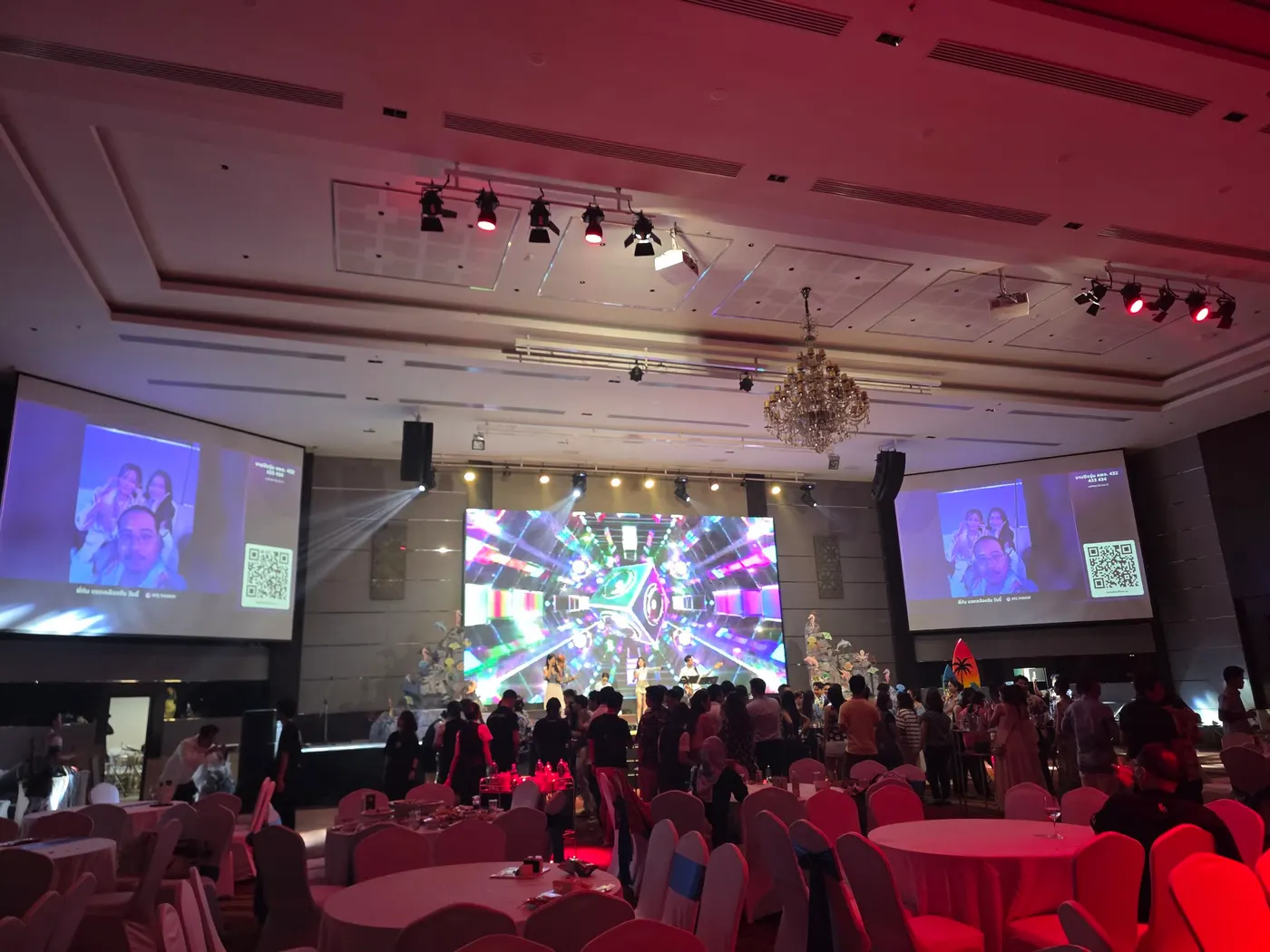
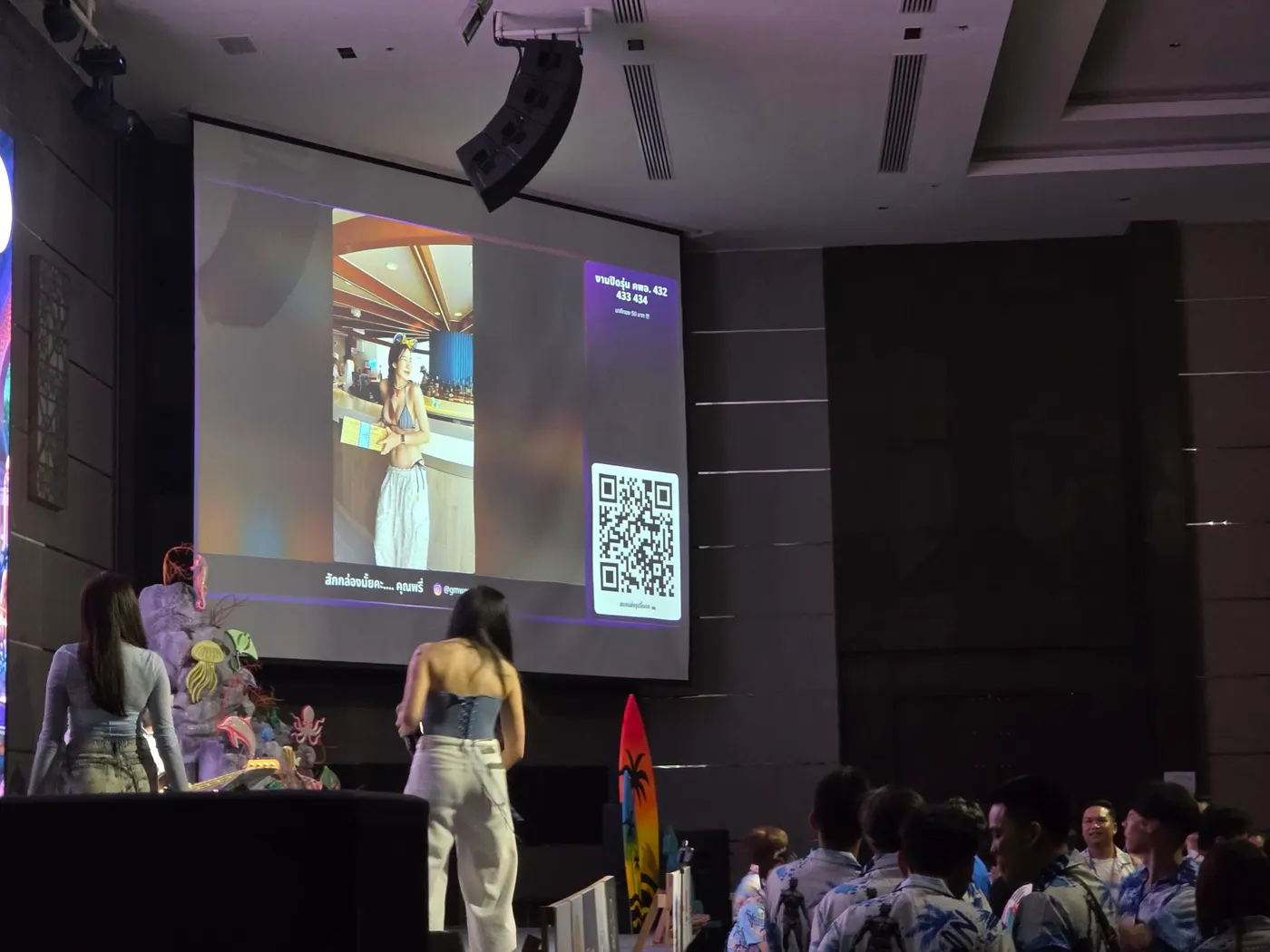
Guests scan a QR on the table, pay by PromptPay straight into your account, and send their photo and Instagram to your LED screen. You approve every photo from your phone. It costs 3,000 baht a month, and we take no cut of your sales.
- 7-day free trial, no card
- Money goes straight to your account
- First month refunded if sales fall short
- Every photo approved before it shows

Happy 25th, Nan! 🎂
@your.ig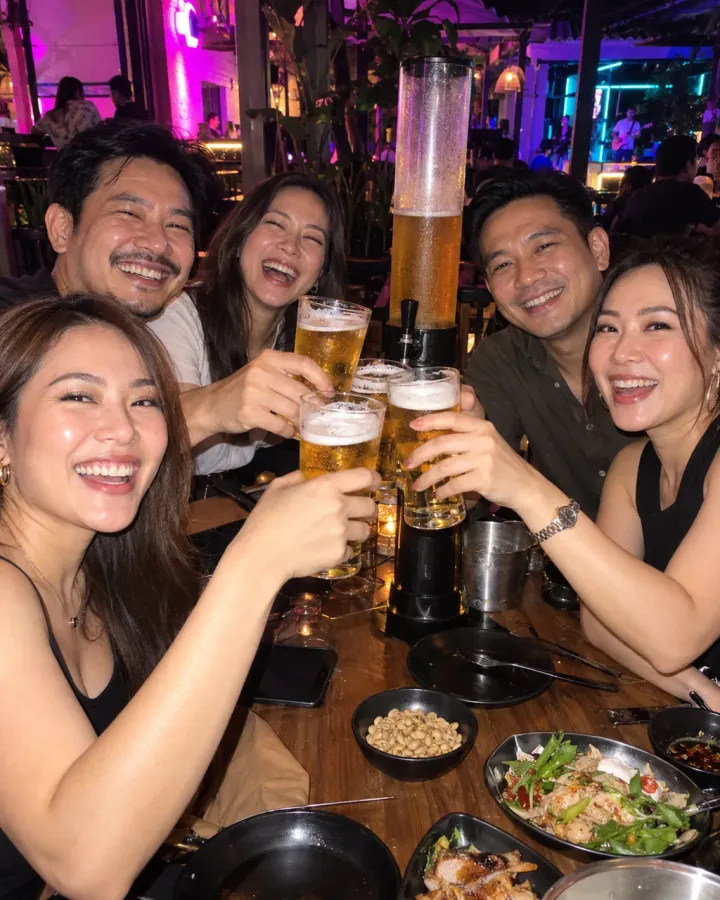
Best crew in the house 🔥
@your.ig
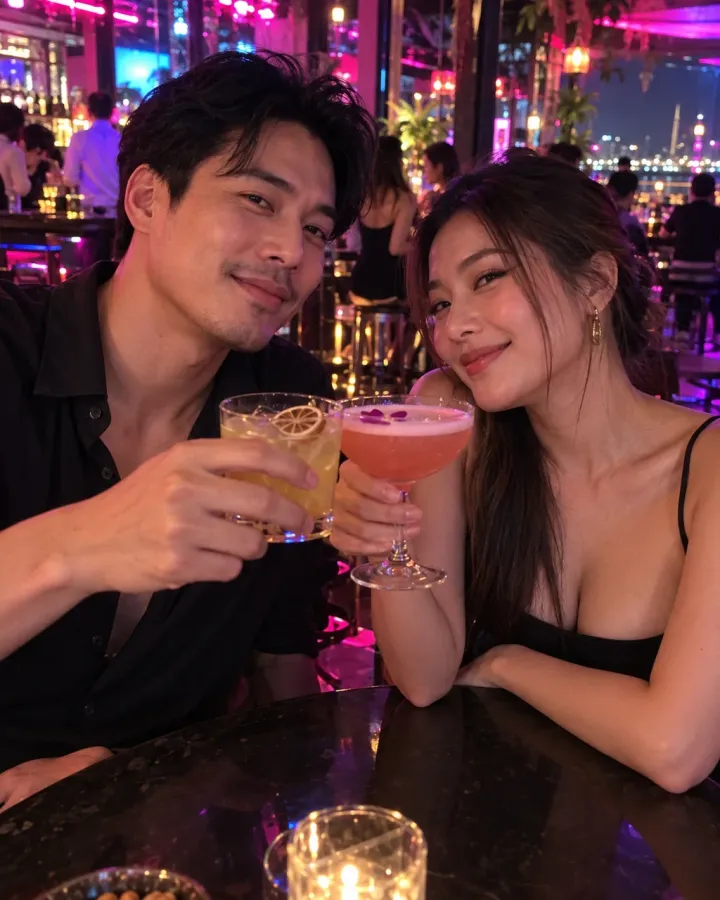
Black shirt, table 12, DM me 👀
@your.ig Happy 25th, Nan!
 Table 9 came to party
 Black shirt at table 12, what's your IG?
 Song request for table 3, please
 Table 7, drinking alone. Come say hi
 Congrats, graduate!
 Will you marry me?
 Happy 30th, Bom!
 Table 4 vs table 9: dance-off
 Thanks for partying with us
What is your screen showing tonight?
Usually a logo on loop, music videos nobody watches, or nothing at all. A screen you pay to run every night that never pays you back.
Meanwhile the people at your tables are taking photos, posting stories and hoping someone checks out their Instagram. Kheunjor puts the two together: guests get a spot on the screen the whole room is watching, and you earn from a screen you already own.
Loops all night · nobody watches · earns nothing
How it works
Four steps, live on the first night
No contract to wait for and no equipment to install. You can open the same night your venue is set up.
- 📲1
Put the QR on tables and screen
We set your venue up and send you its QR file. Print it as stickers for tables, menus or the bar. The screen shows the QR by itself whenever nobody's photo is up.
- 🖼️2
Guests pick a package and upload
They scan, choose how long they want on screen, and add a photo, a short message and their Instagram or Facebook. All in the phone's browser, in Thai or English: no app, no sign-up.
- 💸3
They pay by PromptPay and attach the slip
The system shows a PromptPay QR with the amount already filled in, for your account. Guests pay you directly and attach the transfer slip on the same page.
- ✅4
You approve, the photo goes up
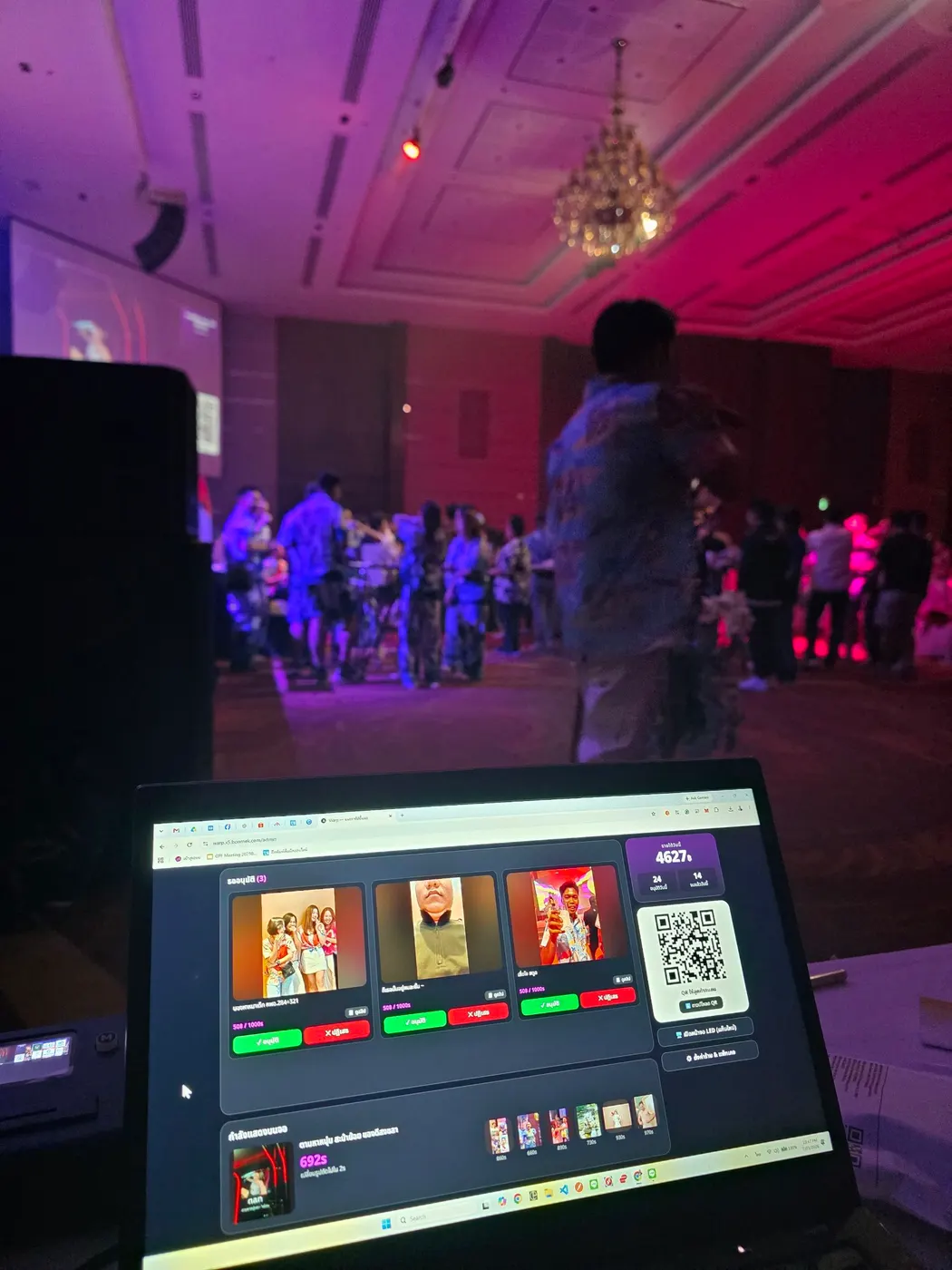
Your staff see the photo next to the slip check on a phone. Approve and it joins the queue for the screen; reject and the guest is told automatically.
Want to try it as a guest and as the admin? Play with the interactive demo (in Thai)
Why guests pay to be on screen
The screen is where the whole room is already looking. Getting on it isn't just showing a photo; it's the attention of everyone in the venue, at the point in the night when everyone is in the best mood.
Everything on this list already happens in your venue every night. The only difference is that right now it doesn't go through the screen, and it never turns into revenue.
- They want the whole room to see their IG, and follow back

- They want their crew on screen, then a photo of it for their story

- A birthday shout-out the whole venue can see

- Asking someone out, saying sorry, or proposing
Why venues use it
What you get besides the money
Owners always ask two things first: whose account the money goes into, and how inappropriate photos are kept off the screen. The first two cards are the answers.
Money goes straight to you
The PromptPay QR is built from the phone number or ID you set, with the amount filled in. The money never passes through us: no payout cycle, nothing to wait for.
Every photo approved first
Nothing reaches the screen on its own. The system screens out likely inappropriate images first, and your staff make the final call.
Uses the screen you have
Plug in a computer, mini PC or Android box with a web browser and leave your screen page open. Nothing to install.
Slips checked with the bank
Real slip, right amount, paid into your account, never used before. Nobody has to open a banking app and compare. Included in the fee.
Queue and timing handled
When several guests send at once, photos take turns of about 15 seconds, and each guest's time only runs while their photo is on screen.
Takings reports and CSV export
Daily, weekly, monthly or any range you pick, with a record of who approved what and when.
Branches kept apart
Each branch has its own screen, packages, payment account, admin login and takings report. Nothing mixes.
Guest page in Thai and English
The page guests open follows their phone's language, with a ไทย / EN switch at the top, so tourists can send a photo without asking staff for help.
📸 In use
What it looks like on the night
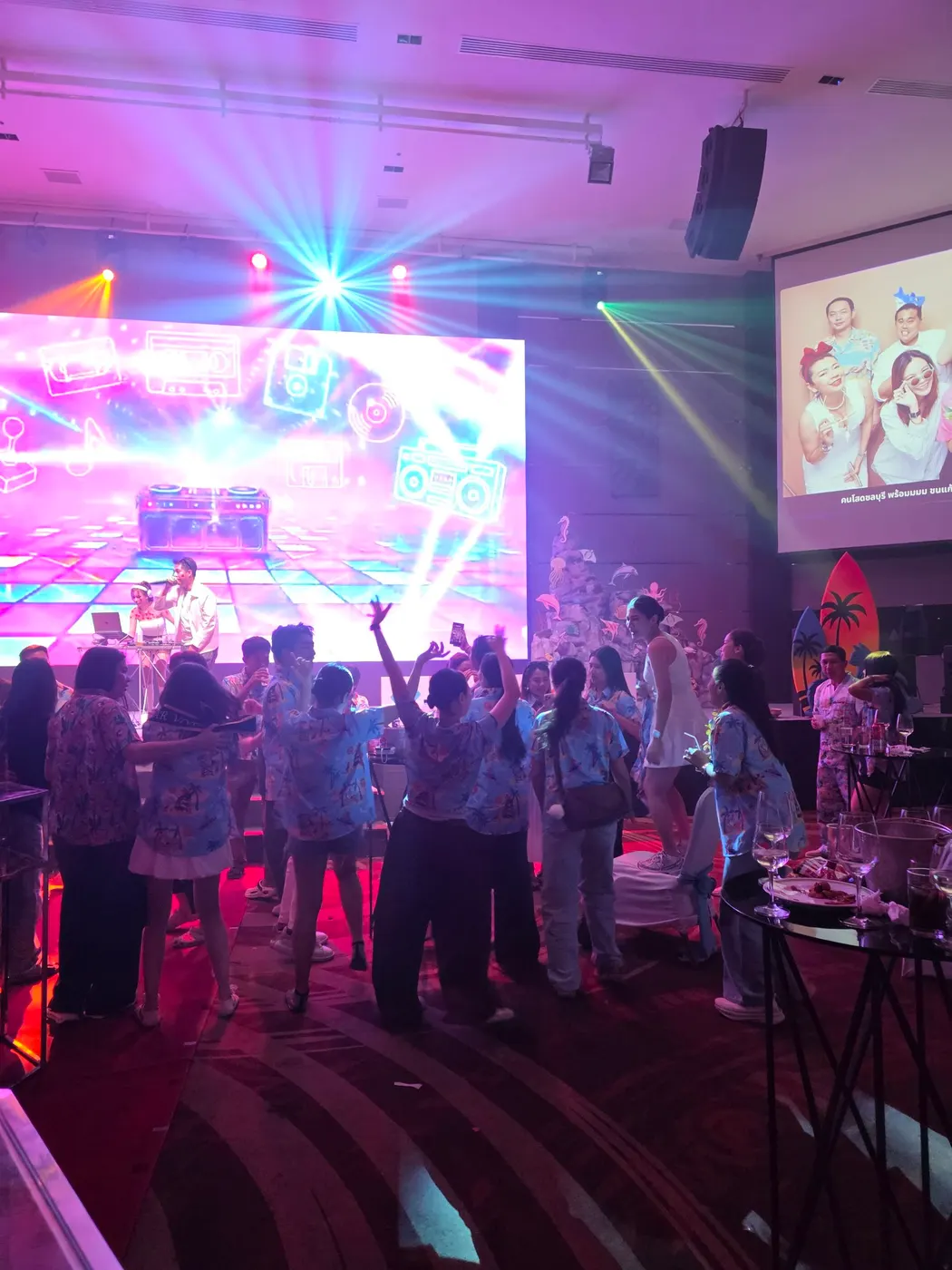
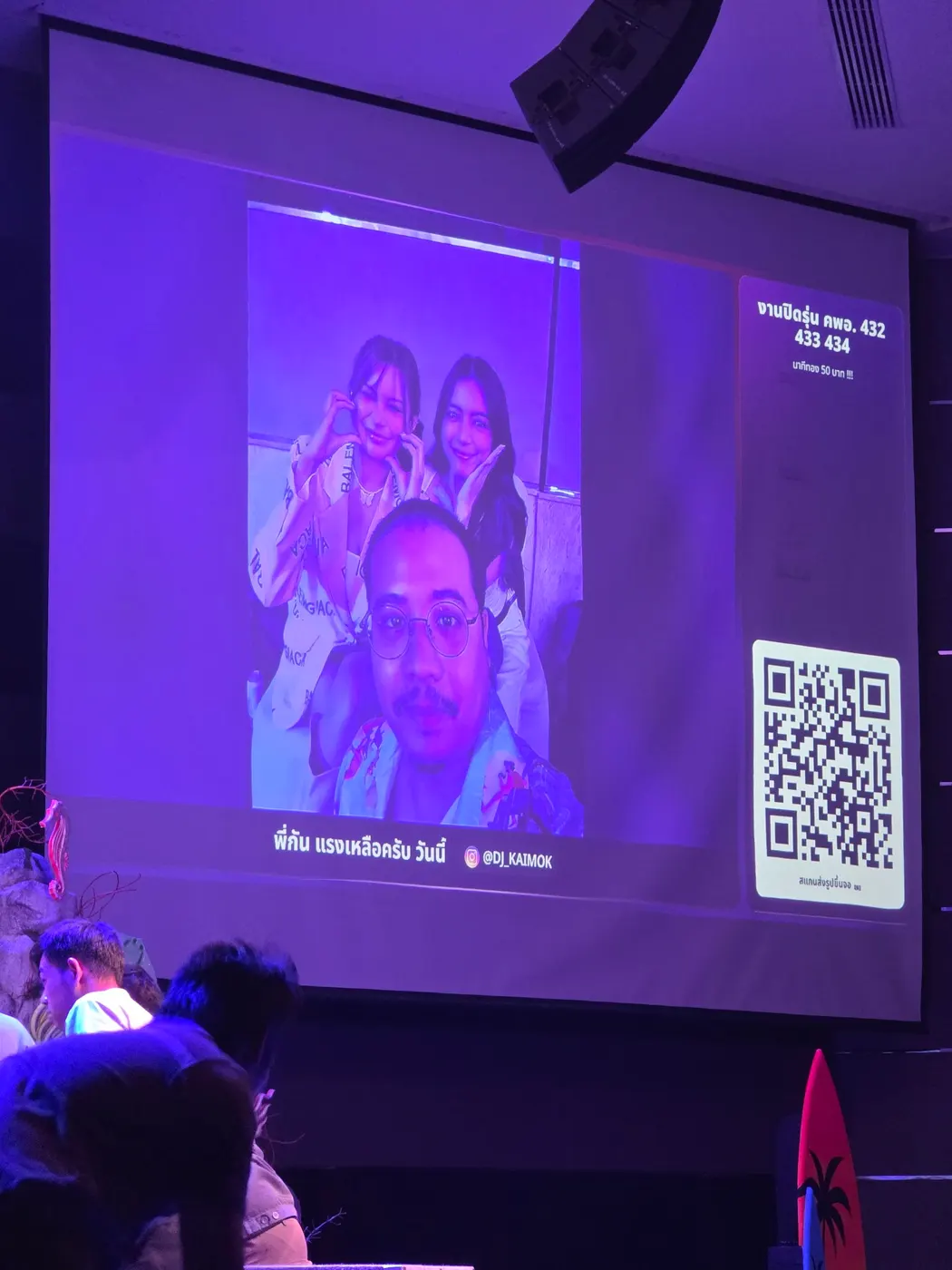
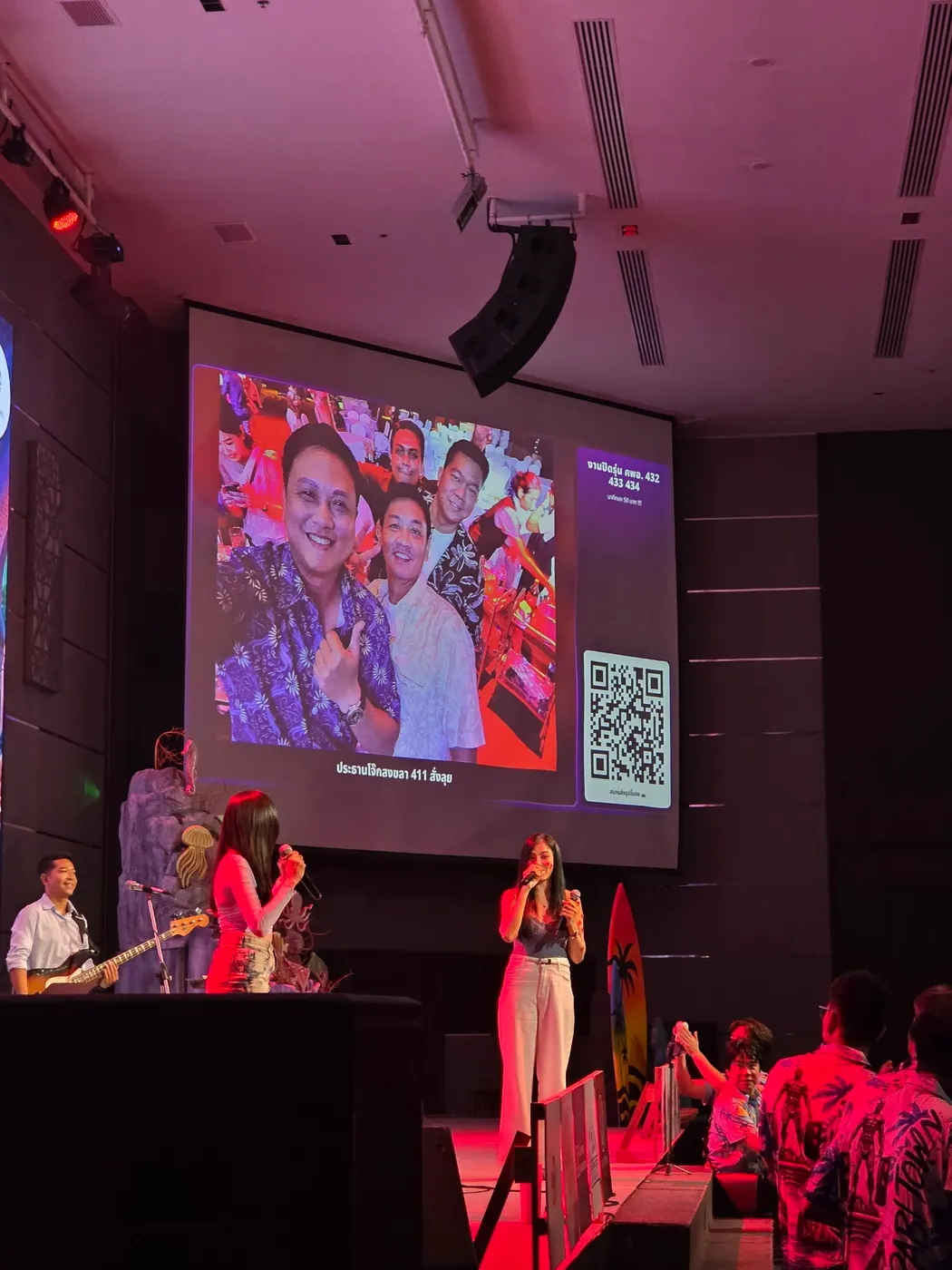
A clip and photos from real events running the system: the screen guests see, and the admin page backstage where staff approve.
Pricing
You set your own prices
A package is the total time a photo spends on screen. You name it, price it and set the seconds. These starting prices sit close to what venues in Thailand already charge.
Starter
49 baht
30 seconds on screen
Standard
99 baht
45 seconds on screen
Premium
139 baht
60 seconds on screen
Our fee is 3,000 baht a month per branch. One price, no setup fee, and no percentage of what your guests pay.
At 99 baht a photo, 31 photos a month cover the fee. Try it free for 7 days before you pay.
Prices exclude 7% VAT. Full pricing and terms (in Thai)
Events
Running an event? It works there too
Not only for venues open every night. A one-day event with a screen can be set up too: guests send to the screen free, and the organiser pays once. No monthly fee.
Messages on screen
Weddings, reunions, company parties, birthdays: guests write to the hosts or to each other, and the screen shows the event's photo with messages arriving live. 699 baht per event, from 06:00 on the day to 08:00 the next morning.
Photos with Instagram on screen
Runs, sports events, trade shows: guests send photos to the screen free, the screen carries sponsor logos, and the organiser can download every photo afterwards. 999 baht a day.
Prices exclude 7% VAT. Event details (in Thai)
FAQ
What venue owners ask us first
What is Kheunjor?
A system that lets guests at your venue scan a QR code and send a photo, a short message and their Instagram to your LED screen, paying for screen time from packages you set. Thais call it แจกวาร์ป ("giving out a warp"). You earn from a screen you already have, and your guests get the whole room looking at their Instagram.
What kind of venue is it for?
Bars, pubs, chill-out bars, restaurants with a screen, and events with a screen in the room. All you need is a screen your guests can see and an internet connection. A small bar with one screen works fine, and a group with several branches runs each one with its own screen and its own takings.
How much does it cost?
3,000 baht a month per branch, one price with no tiers, including 1,000 automatic slip checks a month. We take no percentage of what your guests pay: every baht goes into your own PromptPay account. There is no setup fee and no activation fee. Prices exclude 7% VAT.
Can it be customised for my venue?
Yes: theme, colours, logo, the frame on the screen, the guest page, the QR materials on your tables, and setups that work differently, such as a football arena or a venue with several screens. We quote before we start, you pay once when the work is done, and the system fee stays 3,000 baht a month with nothing added. Venues on the standard setup pay nothing extra.
What if I pay and it doesn't sell?
You don't lose out. First, you try it free for 7 days with real guests. If you carry on and the warps approved in the system during your first 30 paid days add up to less than the fee, we refund that month's fee, as much as you actually paid. It comes back automatically as credit toward the next month. If you decide to stop and want a bank transfer instead, cancel from the credit page in the system before those first 30 days are up. The guarantee covers the first paid month only, refunds at most one month, applies once per venue, and does not count screen sales taken outside the system.
Are payment slips checked automatically?
Yes, and it is included: 1,000 slips a month, from the first night of the trial. Each slip is checked against bank data: that it is real, the amount is right, it was paid into your account, and it has not been used before. Your staff only decide whether the photo is fit for the screen. Most venues stay under the quota; busier ones can add a pack, from 99 baht for 250 slips. If the quota runs out or the check is down, approval simply goes back to your staff by hand, so you never stop selling.
Can I try it first?
Yes. 7 days free, no card and no deposit. Message us on Facebook with your venue's name and screen size. We set your venue up in the system, add starter packages and send you the QR file to print, and you can go live the same night. Money guests pay during the trial goes into your account as normal and is all yours. One trial per venue.
Do I need a new screen or other equipment?
No. Use the screen you already have. You need a computer, mini PC or Android box that can open a web browser, plugged into the screen, with your venue's screen page left open. Everything runs on the web; there is nothing to install.
Whose account does the money go into?
Yours, directly. The system makes a PromptPay QR with the amount filled in, from the phone number or ID you set. PromptPay is Thailand's national QR payment, so you need a Thai bank account with PromptPay, and guests pay from a Thai banking app. The money never passes through us and there is no payout to wait for.
What if someone sends an inappropriate photo?
Nothing reaches the screen without approval. The system screens out likely inappropriate images first, then your staff approve or reject each one from a phone and have the final say.
Do guests need an app? Can foreign guests use it?
No app. Guests scan the QR and do everything in their phone's browser: pick a package, upload a photo, add their Instagram, pay and attach the slip. The guest page speaks Thai and English: it follows the language of the guest's phone, and there is a ไทย / EN switch at the top. The package names and venue name you type are shown as you wrote them.
Is the admin page in English?
Not yet. Your staff's admin page and the labels on the screen are in Thai for now. The job itself is short: open the admin page on a phone, look at the photo and the slip, and press approve or reject. It takes about five minutes to learn, and we set the venue up for you.
How long does a photo stay up, and what if several people send at once?
A package is total time on screen, not one continuous slot. When several guests send at once, their photos take turns of about 15 seconds each, and a guest's time only runs while their photo is actually on the screen, so everyone gets the full time they paid for.
What if the venue's internet goes down?
The system runs over the internet. If your connection drops, the screen holds the last photo and guests cannot send new ones until it is back. We suggest a backup connection, as you would for a card terminal.
Try it free for 7 days before you decide
Message us on Facebook with your venue's name and screen size. We set your venue up and send the QR file to print, and you can open the same night. No card, no contract.
Message Bonmek on Facebook